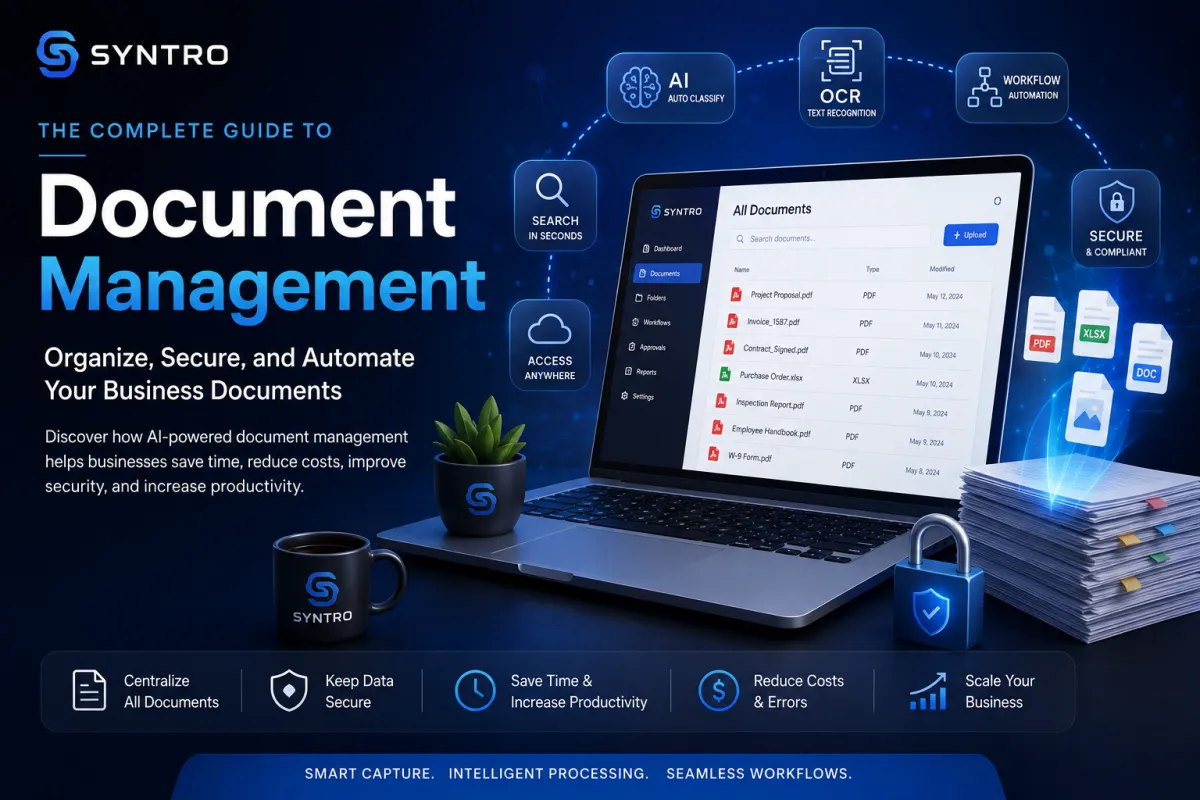
The Complete Guide to Document Management: Organize, Secure, and Automate Your Business Documents
The Complete Guide to Document Management
Organize, Secure, and Automate Your Business Documents
Every business depends on documents. Contracts, invoices, proposals, purchase orders, employee records, permits, receipts, inspection reports, project photos, and customer correspondence all contain valuable information that keeps operations moving forward.
Yet many businesses continue to rely on paper files, cluttered shared drives, overflowing email inboxes, and inconsistent naming conventions to manage these critical records. The result is wasted time, lost documents, duplicate work, security risks, and frustrated employees searching for information that should be available in seconds.
Modern document management systems solve these problems by transforming paperwork into organized, searchable, and secure digital assets. Combined with Artificial Intelligence and Optical Character Recognition (OCR), businesses can automatically capture information, categorize files, extract important data, route documents through approval workflows, and retrieve records instantly from virtually anywhere.
Whether you're a contractor managing project documents, a manufacturer processing purchase orders, a professional service firm handling client records, or a growing small business looking to reduce paperwork, digital document management can dramatically improve efficiency while creating a more organized and scalable operation.
In this guide, you'll learn how document management works, why it has become essential for modern businesses, how AI is transforming document processing, and how to build a secure, paperless document system that saves time, reduces errors, and supports long-term growth.
Estimated Reading Time
⏱ 22–28 Minute Read
The Complete Guide to Document Management: Organize, Secure, and Automate Your Business Documents
The Complete Guide to Document Management
Organize, Secure, and Automate Your Business Documents
Why Every Business Needs Document Management
The Hidden Cost of Paper Documents
Artificial Intelligence & OCR: The Future of Document Management
Document Security and Access Control
Workflow Automation and Document Approvals
Choosing the Right Document Management System
What is a document management system?
Can small businesses benefit from document management?
Is cloud storage the same as document management?
What Is Document Management?
Every business creates information. Estimates are prepared, contracts are signed, invoices are paid, permits are issued, inspections are completed, and customer communications occur every day. Without an organized system, these documents quickly become scattered across filing cabinets, desktop folders, email attachments, cloud storage accounts, and individual employee computers.
Document management is the process of capturing, organizing, storing, securing, retrieving, sharing, and managing business documents throughout their entire lifecycle. Rather than treating documents as isolated files, a document management system transforms them into structured business assets that support daily operations, improve collaboration, and reduce administrative work.
A modern document management system goes far beyond digital storage. It allows businesses to search documents by keyword, automatically categorize files, control access permissions, maintain version history, track approvals, and integrate documents directly into everyday workflows.
For example, instead of searching through email attachments for a signed proposal, an employee can instantly locate the document by customer name, project number, or keyword. AI-powered search makes information available within seconds, reducing frustration while improving productivity across the organization.
As businesses continue generating more digital information every year, effective document management has become a competitive advantage rather than simply an administrative convenience.
Why Every Business Needs Document Management
Every business depends on information, but information only has value when it can be found, trusted, and acted upon quickly. As businesses grow, the number of documents they generate increases dramatically. Customer records, contracts, invoices, estimates, purchase orders, employee files, permits, inspection reports, warranties, manuals, photographs, and emails quickly accumulate across multiple locations.
Without a structured document management system, employees spend valuable time searching for files instead of serving customers. Duplicate documents appear in different folders. Outdated versions are mistakenly used. Important approvals are delayed because someone cannot locate the correct paperwork. Sensitive information becomes accessible to people who shouldn't have it, while critical business records are at risk of being lost through accidental deletion, hardware failure, or poor organization.
Document management solves these problems by creating a centralized system where every document has a defined location, purpose, and lifecycle. Employees know where to store files, how to retrieve them, who has access, and what version should be used.
Beyond organization, document management improves collaboration. Instead of emailing attachments back and forth, multiple team members can securely access the same document, track revisions, and complete approvals without creating duplicate copies. Teams spend less time asking, "Where is that file?" and more time completing productive work.
For growing businesses, document management also supports scalability. As new employees join the organization, they can quickly locate procedures, templates, customer records, and project documentation without relying on long-time employees to explain where everything is stored.
Ultimately, document management creates consistency, improves accountability, and provides the foundation for digital business operations.
The Hidden Cost of Paper Documents
Many businesses underestimate the true cost of paper.
The expense isn't limited to paper, ink, printers, and filing cabinets. The greatest cost is time.
Consider how often employees perform tasks such as:
Searching through filing cabinets.
Looking for misplaced paperwork.
Reprinting lost documents.
Manually entering information.
Filing completed paperwork.
Delivering documents for signatures.
Making photocopies.
Scanning files after completion.
Correcting filing mistakes.
Each activity may only require a few minutes, but repeated hundreds or thousands of times throughout the year, these tasks consume an enormous amount of productive time.
Paper also introduces unnecessary risk. Documents can be damaged by water, fire, or accidental disposal. Handwritten notes become difficult to read. Files are misplaced. Multiple versions circulate throughout the office, making it difficult to determine which document is current.
Paper-based approval processes often create additional delays. A contract waiting on someone's desk for a signature may postpone an entire project, while digital approval workflows can notify reviewers instantly and record every action automatically.
Customer service also suffers. When customers call requesting information, they expect immediate answers. Searching through paper files while a customer waits creates frustration and reduces confidence in the business.
Moving toward digital document management doesn't eliminate every printed document overnight, but it significantly reduces dependency on paper while improving accessibility, security, and efficiency.
Building a Paperless Office
A paperless office doesn't mean eliminating every sheet of paper. Instead, it means creating digital-first processes where paper becomes the exception rather than the standard.
The transition begins by identifying the documents your business handles most frequently.
These often include:
Customer contracts.
Estimates and proposals.
Purchase orders.
Invoices.
Employee records.
Safety documents.
Equipment manuals.
Permits.
Inspection reports.
Project photographs.
Work orders.
Warranty information.
Once identified, each document type should have a defined digital workflow.
For example, a customer contract might follow this lifecycle:
Customer approves proposal.
↓
Digital contract generated.
↓
Electronic signature requested.
↓
Signed copy automatically stored.
↓
CRM updated.
↓
Project created.
↓
Team notified.
↓
Document archived after project completion.
Instead of employees deciding where to save files each time, the process becomes automatic and repeatable.
Successful paperless offices also establish clear naming conventions.
Rather than saving documents with vague names like "Estimate Final New Version.pdf," businesses use standardized formats such as:
Customer Name – Project Name – Document Type – Date
This simple practice dramatically improves searchability and reduces duplicate records.
Another important consideration is document retention. Every business should define how long different document types should be stored and when they should be archived or securely deleted. Maintaining a documented retention policy keeps storage organized while supporting legal and regulatory requirements.
Going paperless isn't simply about reducing clutter. It's about creating faster, more reliable, and more secure business processes that improve both employee productivity and customer experience.
Artificial Intelligence & OCR: The Future of Document Management
Traditional document management focused on storing files.
Modern document management focuses on understanding them.
Artificial Intelligence and Optical Character Recognition (OCR) have transformed documents from static images into searchable, usable business information.
OCR technology converts printed or handwritten text into digital text that software can read and process. A scanned invoice is no longer just a picture—it becomes searchable data containing customer names, invoice numbers, dates, totals, and line items.
Artificial Intelligence builds on OCR by interpreting the information contained within documents.
Instead of simply reading text, AI can:
Identify document types.
Extract important fields.
Categorize records.
Detect duplicate files.
Flag missing information.
Recommend routing.
Summarize lengthy documents.
Match documents to customers or projects.
Trigger automated workflows.
Imagine receiving hundreds of invoices every month.
Rather than manually opening each document, entering data into accounting software, and filing the invoice, AI can automatically recognize the supplier, capture invoice details, validate information, store the document in the correct location, and notify the appropriate employee for approval.
The same technology applies to contracts, purchase orders, inspection reports, engineering drawings, medical records, legal documents, employee paperwork, and countless other document types.
For businesses processing large volumes of paperwork, AI-powered document management can save hundreds of hours every year while dramatically reducing manual data entry and human error.
Key Takeaways
Effective document management is about far more than storing files. It creates a structured system that improves productivity, strengthens collaboration, enhances security, and prepares businesses for automation. By reducing reliance on paper and embracing AI-powered document processing, organizations can spend less time managing paperwork and more time serving customers, growing revenue, and improving operations.
Document Security and Access Control
As businesses become more digital, protecting sensitive information becomes just as important as organizing it. Customer records, employee information, financial reports, contracts, legal documents, and intellectual property all require different levels of protection. A modern document management system should not simply store files—it should control who can view, edit, approve, download, or delete them.
Role-based permissions are one of the most effective ways to secure business information. Instead of giving every employee unrestricted access, permissions should be assigned based on job responsibilities. An accounting employee may require access to invoices and financial reports, while a project manager may only need access to project documentation and customer files.
Security should also include authentication methods such as strong passwords, multi-factor authentication, encryption, automatic backups, and activity logs. Every document interaction should be recorded so administrators know who accessed a file, what changes were made, and when those actions occurred.
Version control is equally important. Rather than creating multiple files labeled "Final," "Final 2," or "Final Updated," document management systems maintain a complete revision history. Employees can confidently work on the latest version while preserving previous revisions for reference or compliance.
A well-designed security strategy protects the business from accidental mistakes, cyber threats, and unauthorized access while giving employees the information they need to perform their work efficiently.
Workflow Automation and Document Approvals
Documents rarely remain static. Most business documents move through a series of steps before they are complete.
A proposal may require internal approval before being sent to a customer. A purchase order may require management approval before materials are ordered. An invoice may require verification before payment is issued.
Without automation, these approvals often rely on emails, printed paperwork, or verbal communication. Documents become delayed because someone forgets to review them or because employees are uncertain who is responsible for the next step.
Workflow automation eliminates these delays by creating predefined approval processes.
For example, a purchase order workflow might look like this:
Purchase Order Created
↓
Manager Review
↓
Budget Verification
↓
Approved?
↓
Yes → Purchasing Department
↓
Supplier Notification
↓
Document Archived
↓
Accounting Updated
Every action is tracked automatically. Notifications are sent immediately, approvals are recorded, and every participant knows the document's current status.
Automation also reduces bottlenecks. If an approval remains incomplete for too long, reminders can be sent automatically or the task can be escalated to another manager.
By standardizing document workflows, businesses reduce delays, improve accountability, and ensure that important documents move through the organization quickly and consistently.
Real-World Industry Examples
Although every business manages documents differently, the challenges are remarkably similar. Lost paperwork, manual filing, inconsistent naming, and slow approvals affect organizations in almost every industry.
Construction and Landscaping
Construction companies manage proposals, contracts, permits, inspections, change orders, work orders, material invoices, project photographs, warranties, and safety documentation. AI-powered document management keeps these records organized by project, allowing office staff and field employees to access information instantly without searching through paper files or multiple folders.
Manufacturing
Manufacturers rely on purchase orders, production schedules, quality inspections, shipping documents, inventory reports, maintenance records, and supplier contracts. Automated document workflows improve production efficiency by ensuring critical information reaches the correct departments at the right time.
Professional Services
Consultants, accountants, architects, engineers, and legal professionals manage large volumes of client documentation. Digital document management improves collaboration, protects confidential information, and simplifies long-term record retention while supporting remote work environments.
Healthcare
Medical providers process patient records, insurance forms, treatment plans, consent documents, and regulatory paperwork. Secure digital document systems improve patient care by providing immediate access to accurate information while supporting privacy and compliance requirements.
Home Service Businesses
Electricians, plumbers, HVAC contractors, roofing companies, cleaning services, and other service businesses generate estimates, service reports, invoices, warranties, equipment manuals, and customer communications every day. Mobile document management allows technicians to upload photographs, complete forms, collect signatures, and access customer records directly from the job site.
Choosing the Right Document Management System
Not every document management platform offers the same capabilities. Before investing in software, evaluate both your current needs and your long-term business goals.
An effective document management system should provide:
Cloud-based access from any device.
Fast document search.
AI-powered OCR.
Version history.
Role-based permissions.
Secure backups.
Workflow automation.
Electronic signatures.
Mobile access.
Integration with CRM, accounting, and project management software.
Reporting dashboards.
Scalability as your business grows.
Ease of use should also be a priority. Even the most powerful software delivers little value if employees avoid using it because the system is confusing or overly complicated.
Choose a platform that encourages adoption while supporting continuous improvement as your business evolves.
Frequently Asked Questions
What is a document management system?
A document management system is software that stores, organizes, secures, retrieves, and manages business documents throughout their lifecycle.
What is OCR?
Optical Character Recognition (OCR) converts printed or handwritten documents into searchable digital text that software can understand and process.
Can small businesses benefit from document management?
Absolutely. Small businesses often experience immediate improvements because employees spend less time searching for documents and more time serving customers.
Is cloud storage the same as document management?
No. Cloud storage provides a place to save files, while document management includes organization, permissions, version control, search, automation, workflows, and document lifecycle management.
Can AI read and organize documents automatically?
Yes. Modern AI systems can identify document types, extract important information, categorize files, detect duplicate records, summarize documents, and trigger automated workflows based on document content.
Final Thoughts
Documents are among the most valuable assets a business owns. They capture customer relationships, financial transactions, operational procedures, employee knowledge, and legal agreements that keep the organization running.
Managing these documents effectively is no longer simply an administrative responsibility—it has become a strategic advantage. Businesses that organize information, automate document workflows, and embrace AI-powered document processing operate more efficiently, make better decisions, and provide faster service to customers.
The transition to digital document management doesn't happen overnight. It begins with documenting your current processes, organizing existing files, establishing consistent standards, and gradually introducing automation where it creates the greatest value.
As your business grows, a structured document management system becomes the foundation for collaboration, security, compliance, and operational excellence.
See AI Document Management in Action

Modern document management is about more than scanning paper—it's about turning information into action.
SYNTRO Smart Capture helps businesses capture documents, organize digital records, extract data with AI-powered OCR, automate approval workflows, and securely manage information from anywhere. Whether you're processing invoices, contracts, estimates, project documents, or customer records, Smart Capture helps reduce paperwork, eliminate manual data entry, and create a faster, more connected business.
By combining intelligent document processing with automation, businesses can spend less time searching for information and more time serving customers, improving operations, and growing with confidence.
Explore SYNTRO Smart Capture and discover how AI-powered document management can transform the way your business works.


