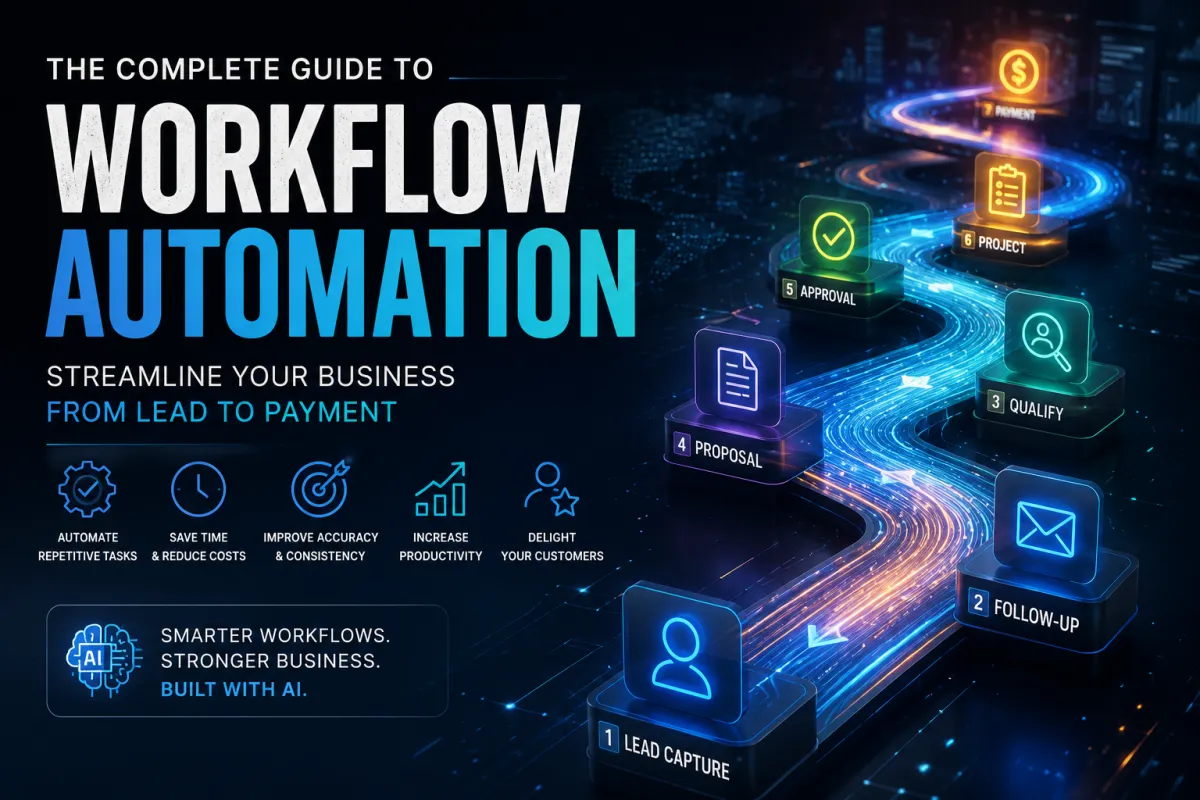
The Complete Guide to Workflow Automation: Streamline Your Business from Lead to Payment
The Complete Guide to Workflow Automation
Streamline Your Business from Lead to Payment
Running a successful business isn't about working harder—it's about building smarter workflows. Every repetitive task, every manual process, and every communication delay costs valuable time that could be spent serving customers, closing sales, or growing your business.
Workflow automation allows businesses to connect people, processes, and technology so work flows automatically from one step to the next. Whether you're responding to new leads, creating estimates, managing projects, processing documents, or following up with customers, automation helps eliminate repetitive work while improving consistency and customer satisfaction.
In this guide, you'll learn how workflow automation works, where it creates the greatest return on investment, how artificial intelligence is changing business processes, and how to build automated workflows that allow your business to grow without unnecessary administrative overhead.
What Is Workflow Automation?
Workflow automation is the process of using technology to complete repetitive business tasks automatically according to predefined rules. Instead of relying on employees to manually move information between departments, send reminders, update spreadsheets, or follow checklists, software performs those tasks consistently and accurately.
Think of a workflow as a sequence of events. One action triggers the next until the process is complete.
For example:
A customer submits a contact form.
↓
A CRM automatically creates a new contact.
↓
The sales team receives an instant notification.
↓
The customer receives a welcome email.
↓
A follow-up task is created.
↓
A proposal is generated.
↓
The project is scheduled after approval.
↓
The customer receives ongoing updates automatically.
Without automation, every one of those steps requires manual intervention. With workflow automation, employees spend their time helping customers instead of performing repetitive administrative work.
Workflow automation isn't about replacing people—it's about allowing people to focus on work that requires experience, creativity, and decision-making while software handles routine tasks.
Why Businesses Need Workflow Automation
Every business has repetitive work.
The only question is whether employees perform those tasks manually or whether technology handles them automatically.
Common examples include:
Responding to new leads.
Scheduling appointments.
Sending follow-up emails.
Creating estimates.
Requesting approvals.
Processing invoices.
Organizing documents.
Assigning tasks.
Updating customers.
Generating reports.
When these tasks are handled manually, businesses experience delays, missed opportunities, inconsistent customer service, and unnecessary administrative costs.
Workflow automation solves these problems by ensuring every process follows the same proven path every time.
The benefits include:
Faster response times.
Improved customer satisfaction.
Fewer errors.
Better communication.
Increased productivity.
Higher profitability.
Easier employee training.
Greater operational consistency.
More time for strategic work.
The goal isn't simply to automate work—it's to create a business that runs more predictably and efficiently every day.
Identifying Processes to Automate
Not every process should be automated immediately. The best candidates are repetitive, rule-based tasks that happen frequently and consume valuable employee time.
Start by asking:
Which tasks happen every day?
Where do mistakes occur most often?
Which processes involve repetitive data entry?
What causes delays?
What requires multiple reminders?
Which approvals slow projects down?
What tasks frustrate employees?
These answers will quickly reveal your biggest automation opportunities.
High-value automation examples include:
Lead capture and qualification.
Appointment scheduling.
Proposal delivery.
Contract approvals.
Invoice reminders.
Employee onboarding.
Customer onboarding.
Project status updates.
Document routing.
Marketing campaigns.
Each successful automation saves only a few minutes—but repeated hundreds or thousands of times, those minutes become hundreds of hours every year.
Mapping Your Business Workflows
Before automating anything, map your existing process.
Start with a simple flowchart:
Trigger
↓
Action
↓
Decision
↓
Next Step
↓
Completion
For example:
New Lead
↓
CRM Contact Created
↓
Salesperson Assigned
↓
Welcome Email Sent
↓
Call Scheduled
↓
Proposal Sent
↓
Proposal Approved?
↓
Yes → Project Created
↓
No → Follow-Up Sequence
This simple exercise often reveals unnecessary steps, duplicate work, and communication gaps before automation is even introduced.
Sales & Lead Automation
Sales automation ensures no opportunity is forgotten.
Typical automated sales workflows include:
Website form submissions.
Lead scoring.
Appointment scheduling.
Proposal reminders.
Follow-up sequences.
Pipeline movement.
Internal notifications.
Lost opportunity campaigns.
The result is faster responses, better follow-up, and more consistent sales performance.
Marketing Automation
Marketing automation keeps your business visible even when you're busy serving customers.
Examples include:
Social media scheduling.
Blog publishing.
Email newsletters.
Welcome campaigns.
Educational sequences.
Product announcements.
Webinar invitations.
Customer re-engagement.
Automation ensures your marketing remains consistent instead of depending on available time.
Estimating & Proposal Automation
Contractors and manufacturers often lose valuable time repeating the same estimating tasks.
Automation can:
Create customer records.
Generate estimate templates.
Apply assemblies.
Route approvals.
Send proposals.
Schedule follow-ups.
Convert approved estimates into work orders.
This reduces administrative work while improving estimate consistency.
Document Management Automation
Every document follows a lifecycle.
Created.
Reviewed.
Approved.
Stored.
Retrieved.
Archived.
Automation ensures documents reach the right people at the right time without relying on manual filing systems.
AI can also:
Read documents.
Extract information.
Categorize files.
Route approvals.
Flag missing information.
Improve search.
AI & Intelligent Workflow Automation
Artificial intelligence takes workflow automation even further.
Rather than simply following predefined rules, AI can:
Summarize communications.
Draft emails.
Predict customer behavior.
Recommend next actions.
Generate reports.
Analyze trends.
Detect anomalies.
Prioritize work.
AI doesn't replace workflows—it makes them smarter.
Common Automation Mistakes
Avoid these common pitfalls:
Automating broken processes.
Creating overly complex workflows.
Ignoring employee training.
Failing to document SOPs.
Not monitoring workflow performance.
Using disconnected software.
Trying to automate everything at once.
Start small. Measure results. Improve continuously.
Your Workflow Automation Roadmap
Document existing processes.
Identify repetitive tasks.
Remove unnecessary steps.
Create Standard Operating Procedures.
Select software that integrates well.
Automate one workflow at a time.
Measure results.
Improve continuously.
Small, consistent improvements create long-term operational excellence.
Frequently Asked Questions
What is workflow automation?
Workflow automation uses software to perform repetitive business tasks automatically according to predefined rules.
Can small businesses benefit from workflow automation?
Absolutely. Small businesses often see the greatest return because automation reduces administrative work without requiring additional staff.
Does workflow automation require AI?
No. Automation works with or without AI. AI enhances workflows by making smarter decisions and assisting employees with complex tasks.
Where should I start?
Choose one repetitive process, document it, improve it, and then automate it before moving to the next.
Final Thoughts
Workflow automation is no longer a competitive advantage—it's becoming a business necessity. Companies that continue relying on manual processes will struggle to keep pace with organizations that embrace automation, artificial intelligence, and connected business systems.
Automation doesn't remove the human element from business. It removes the repetitive work that prevents people from doing their best work.
By combining documented processes, intelligent software, and continuous improvement, businesses can respond faster, reduce costs, improve customer experiences, and scale with confidence.
The journey begins with a single workflow. Document it, improve it, automate it, and then repeat the process throughout your business.
Ready to Automate Your Business?
The SYNTRO Software ecosystem helps businesses connect marketing, estimating, document management, operations, and AI into one integrated workflow platform. Whether you're looking to automate lead generation, streamline estimating, organize documents, or improve operational efficiency, the right workflows can transform the way your business operates.
Explore SYNTRO Software and start building smarter workflows that save time, reduce costs, and help your business grow.


