Why Small Businesses Outgrow Basic Tools
Business Systems, Small Business Technology, SYNTRO-OS
Why Small Businesses Outgrow Spreadsheets, Email, and Disconnected Apps
Many successful small businesses are built on spreadsheets, email threads, shared documents, and a handful of individual apps. These tools are familiar, flexible, and inexpensive. But as your company grows, the same tools that once helped you move fast can quietly turn into a fragmented, hard‑to-manage operating environment. This article explains why that happens, what to look for, and how a Business Operating System like SYNTRO-OS from SYNTRO Software helps you move from scattered tools to a connected business system.
How a Small Business Tech Stack Usually Grows — and Why It Fragments
Most small businesses do not start with a formal “technology strategy.” They start with whatever works today. A founder opens a spreadsheet to track leads, sends quotes via email, schedules work in a calendar, and stores files in a shared drive. As needs emerge, new tools are added:
A CRM to track prospects and customers
A project or job management app for delivery work
An estimating or quoting tool for proposals and bids
Accounting software for invoices and payments
Each decision makes sense in isolation. The problem emerges over time: your company ends up with many useful tools but no unified system. Customer information is scattered. Sales activity lives in one place, operations in another, and financials in a third. The “system” that connects everything together becomes people copying, pasting, forwarding, and reminding each other manually.
Useful Software vs. an Integrated Business System
It is important to distinguish between owning useful software and having an integrated business system. Many businesses have excellent tools, but those tools operate like islands. An integrated system does something different: it creates a coherent structure for how your business runs end to end.
Owning Useful Software | Having an Integrated Business System |
|---|---|
Individual tools solve individual problems | Processes connect across departments and tools |
Data is duplicated in multiple places | Data lives in a shared, consistent structure |
People bridge the gaps manually | Automation moves information between steps reliably |
SYNTRO-OS is designed as a Business Operating System rather than “just another app.” It provides the central structure for how leads, customers, jobs, communication, scheduling, and reporting connect, so your existing tools support a clear system instead of creating more islands of information.
The Pitfalls of Running the Business in Spreadsheets
Spreadsheets are powerful, flexible, and familiar. They are excellent for analysis, modeling, and one‑off tracking. The problem is not spreadsheets themselves; it is using them as the backbone of your operations. Common issues include:
Version chaos: “Final_v7.xlsx” is never truly final. Different team members work from different copies, and no one is sure which version is accurate.
Hidden logic: Critical business rules live in formulas only one person understands. If they are away, the business slows down or risks errors.
Manual updates: Sales, operations, and finance each maintain their own sheets, requiring constant copying and re-entry of data.
Limited visibility: It is difficult to see a real‑time pipeline, workload, or profitability picture across the whole company from static files.
📌 Key Takeaway: Keep using spreadsheets for analysis and planning, but avoid making them the primary place where work is assigned, tracked, and coordinated day to day.
Why Managing the Business via Email Stops Working
Email is essential for communication, but it is a poor system of record. When email becomes the main place where tasks are assigned, decisions are made, and customer history is stored, problems multiply:
Lost context: Critical details are buried in long threads. New team members cannot easily see the full story behind a customer or project.
No clear ownership: “Who is responsible for this?” becomes a recurring question when tasks are hidden in inboxes instead of managed in a shared workflow.
Inconsistent follow‑up: Opportunities are missed because someone forgot to flag a message or set a reminder.
In an integrated system, email is still used—but key information is captured into structured records. For example, SYNTRO-OS can associate communications with specific leads, customers, jobs, or workflows, so the history is visible even if the original email thread is not.
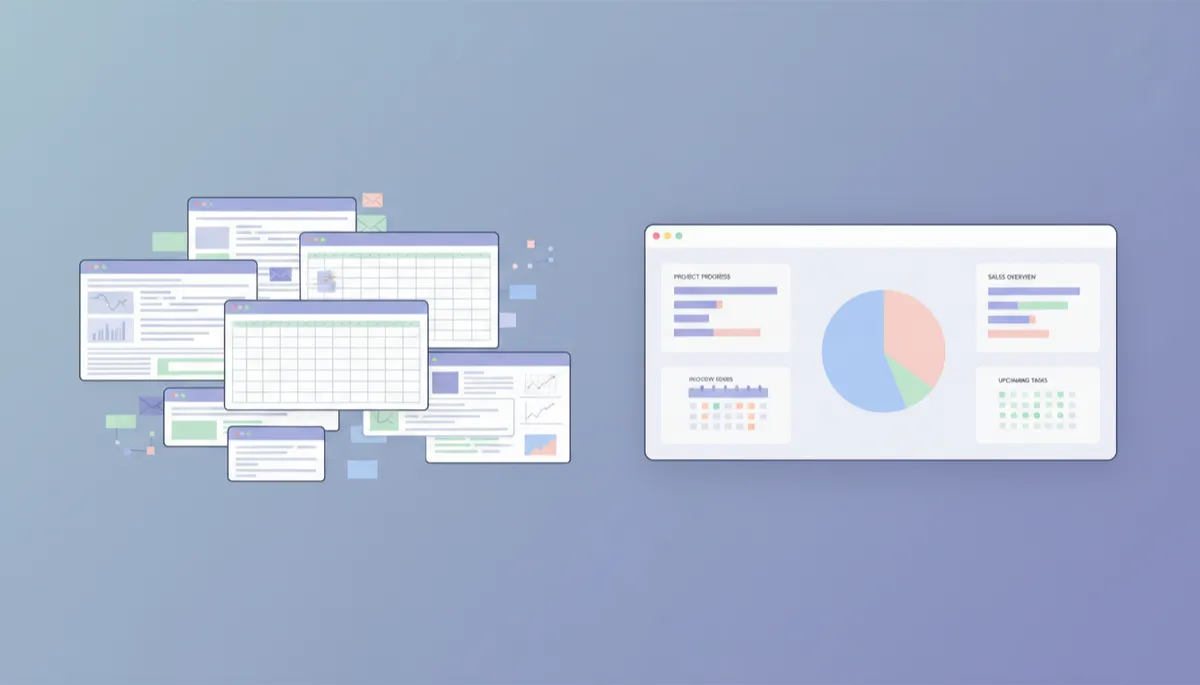
Centralizing data and workflows replaces inbox chaos with clear, actionable views.
The Problems Created by Disconnected Applications
As your business grows, you may adopt specialized applications for CRM, estimating, scheduling, field service, marketing, and more. Each tool is strong in its own area, but when they are disconnected, you face new challenges:
Duplicate data entry: The same customer information is typed into multiple systems, increasing effort and the risk of mistakes.
Inconsistent data: One system shows a current address; another still has the old one. Reports disagree and trust in the data erodes.
Broken handoffs: A signed quote does not automatically create a job, or a completed job does not automatically trigger invoicing or follow‑up.
Disconnected apps create a fragmented operating environment. Your team spends time moving information between systems instead of focusing on customers, quality, and growth.
Signs Your Business Has Outgrown Its Current Technology Stack
Many owners sense that something is “off” before they can name the problem. Common signs that your business has outgrown spreadsheets, email, and disconnected apps include:
Frequent duplicate data entry: Your team regularly retypes the same customer, job, or pricing information in multiple places just to keep systems aligned.
Missed opportunities: Leads go cold because follow‑ups are buried in inboxes or scattered across notes and spreadsheets.
Difficulty managing workflows: It is hard to answer basic questions like “What stage is this job in?” or “Who is waiting on what?” without asking multiple people.
Reporting is painful: Creating a simple overview of sales, backlog, or profitability requires hours of pulling and reconciling data.
Onboarding is slow: New employees take a long time to learn “how we do things” because processes live in people’s heads and scattered tools, not in a clear system.
💡 Pro Tip: If you cannot see a real‑time picture of your leads, jobs, and finances in one place, you are likely operating on a patchwork of tools rather than a true system.
Understanding Software Sprawl — and Why “One More App” Rarely Helps
“Software sprawl” happens when a business keeps adding new applications to solve specific problems without a unifying strategy. Over time, the number of tools grows, but the underlying operational issues remain. Typical patterns include:
Buying a new CRM while leaving estimates, jobs, and invoicing in separate tools with no real integration.
Adding a marketing platform that cannot see accurate customer or job data, making segmentation and ROI tracking difficult.
Implementing point solutions for field teams, but leaving office workflows unchanged and disconnected.
Adding “just one more app” often increases complexity because each new tool introduces another place where data can be inconsistent and workflows can break. What is missing is not another feature, but a central operating model that defines how information flows through your business.
What a Business Operating System Does Differently
A Business Operating System provides the central structure that your tools plug into. Instead of each department or function choosing its own isolated apps, a Business Operating System defines common data, workflows, and automations across the entire company. SYNTRO-OS, for example, is built to connect:
Customer information: A single, shared profile for each customer, including history, jobs, and communication.
Lead management and sales pipelines: From first contact through estimates, proposals, and approvals, tracked in one flow.
Communications: Emails, messages, and notes associated with the right records, not lost in personal inboxes.
Scheduling and calendars: Work, appointments, and tasks linked to jobs and resources, not separate from operations.
Workflows and automation: Standardized steps that move information forward automatically, with clear ownership and status.
Marketing and follow‑up: Campaigns, nurturing, and retention activities informed by accurate customer and job data.
Reporting: Real‑time dashboards and insights built on consistent, connected information.
In this model, specialized software still has a role, but it operates within a clear framework rather than in isolation. SYNTRO-OS provides that framework, allowing your business to consolidate, systemize, and integrate without losing the flexibility you need to operate day to day.
Disconnected vs. Systemized Processes: Practical Comparisons
Example 1: Lead to Job
Disconnected approach: A lead fills out a form on your website. The inquiry goes to an email inbox. Someone copies the details into a spreadsheet. Later, another team member retypes the same information into an estimating app. Once the quote is accepted, yet another person creates the job in a scheduling tool. Each handoff is manual and prone to delay or error.
Systemized approach with a Business Operating System: The lead automatically appears in SYNTRO-OS as a new record in the sales pipeline. When an estimate is created, it is linked to that record. Approval converts the estimate into a job with the click of a button, triggering scheduling tasks and internal workflows. Data is entered once and reused throughout the process, with clear visibility at every stage.
Example 2: Job Completion to Follow‑Up
Disconnected approach: When a job is finished, the field team updates a spreadsheet or sends an email. Someone in the office eventually creates an invoice in accounting software. Customer follow‑up is handled ad hoc, if at all, based on individual memory or manual reminders.
Systemized approach: Marking a job as complete in SYNTRO-OS can automatically notify accounting, generate or trigger an invoice, update the customer’s record, and schedule a follow‑up message or review request. Employees still make decisions, but the system ensures that the right steps happen consistently and on time.
📌 Key Takeaway: Automation in a Business Operating System does not replace human judgment; it supports your team by handling repetitive, predictable steps so people can focus on higher‑value work.
Where AI Fits in a Connected Business
Artificial intelligence is most effective when it has access to organized data and clearly defined processes. In a fragmented environment of spreadsheets, emails, and disconnected apps, AI tools struggle because the information they need is incomplete, inconsistent, or locked in silos.
In a connected environment powered by a Business Operating System like SYNTRO-OS, AI can:
Analyze sales pipelines to highlight the most promising opportunities and suggest next actions.
Help create better content, proposals, and communications using accurate customer and project context from within the system.
Support estimating, scheduling, and capacity planning by learning from your historical data and operating patterns.
SYNTRO Software’s ecosystem includes AI‑driven tools for content creation, estimating, process documentation, operational control, and sales. These capabilities are most powerful when they are anchored in SYNTRO-OS, where data is consistent and processes are clearly defined. AI becomes an intelligent assistant built into your operating system, not a disconnected add‑on.
Practical Steps to Start Consolidating Your Business Technology
1. Inventory Your Current Applications and Tools
Begin by listing every tool you use to run the business: spreadsheets, email accounts, messaging apps, calendars, shared folders, and all software applications. For each, note:
What it is used for (sales, scheduling, finance, marketing, etc.)
Who uses it and how often
What data it stores (customers, jobs, pricing, documents, etc.)
2. Map Your Key Workflows End to End
Next, choose a few core processes—such as “Lead to Job,” “Job to Invoice,” or “Service Call to Follow‑Up”—and map the steps from start to finish. Identify:
Where information is first captured
When and where it is re‑entered into other systems
Where handoffs occur and delays or errors are most common
3. Decide What to Centralize, Integrate, or Eliminate
With this picture in place, you can make more informed decisions:
Centralize core data (customers, jobs, pricing, processes) in a Business Operating System like SYNTRO-OS so it becomes your single source of truth.
Integrate specialized tools that truly add value, ensuring they work with your central system rather than around it.
Eliminate or phase out tools that duplicate functionality, require constant manual updates, or no longer align with your preferred workflows.
4. Systemize One High‑Impact Process at a Time
Rather than trying to transform everything at once, choose one process that causes frequent issues—such as lead follow‑up or job scheduling—and systemize it first within your Business Operating System. Document the steps, configure workflows and automations, and train your team. Early wins build confidence and create a template for improving other areas.
How SYNTRO-OS and SYNTRO Software Support a Connected Business
SYNTRO Software is focused on helping businesses grow faster while doing less manual work by providing an AI‑driven Business Operating System. SYNTRO-OS is designed to be the central layer that unifies CRM, operations, communications, and more into a single intelligent environment. Around SYNTRO-OS, the broader SYNTRO ecosystem supports:
Content creation: AI‑assisted tools that help you produce proposals, emails, and marketing materials informed by your real data and processes.
Estimating and quoting: Structured workflows that standardize how you price work and present it to customers.
Process documentation and operational control: Tools that capture how your business operates so you can train, delegate, and scale with confidence.
Sales and AI tools: Capabilities that help your team focus on the right opportunities and respond faster, supported by accurate, connected information.
The goal is not to replace every tool you use, but to replace disconnected processes with connected systems. SYNTRO-OS provides the operating foundation, while SYNTRO Software’s portfolio of solutions helps you modernize the way you sell, deliver, and manage work with AI woven into your daily operations.
Reducing Fragmentation Without Losing What Works
Moving beyond spreadsheets, email, and disconnected apps does not mean abandoning every familiar tool or forcing your business into a rigid mold. It means:
Keeping specialized software where it truly adds value, but connecting it to a central structure.
Using spreadsheets and documents for analysis and collaboration, not as your primary system of record.
Letting email remain a communication channel while ensuring important information is captured in your Business Operating System.
Ultimately, the aim is to reduce unnecessary fragmentation and support clearly defined business processes that scale. When your data is organized, your workflows are systemized, and your tools are connected, your team can focus on delivering value to customers instead of fighting with technology.
Next Steps: Explore a More Connected Way to Run Your Business
If you recognize the signs of duplicate data entry, missed opportunities, and hard‑to‑manage workflows in your own business, it may be time to move beyond a patchwork of spreadsheets, email chains, and disconnected apps. A Business Operating System like SYNTRO-OS gives you the structure to consolidate, systemize, and integrate your operations—while making it easier to take advantage of AI in a practical, grounded way.
To learn how SYNTRO Software helps replace disconnected processes with connected business systems—and how SYNTRO-OS can become the intelligent operating system at the center of your growth—start your free trial today or schedule a personalized demonstration with our team.


